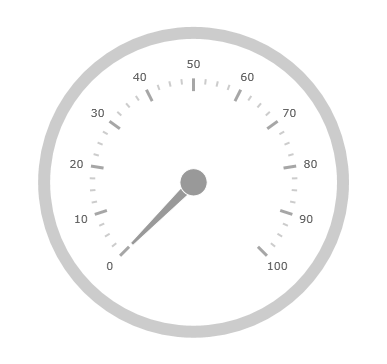
Following is a conceptual overview of the process:
1. Adding the UltraRadialGauge control to Windows Forms applications
2. Verifying the results
Steps
The following procedure takes you through the steps necessary for adding the UltraRadialGauge control to a page.
1. Add the UltraRadialGauge control to the page.
The following code demonstrates adding the UltraRadialGauge control with the minimum code and property settings required for display:
In Visual Basic:
Dim radialGauge As New UltraRadialGauge()
  Me.Controls.Add(radialGauge)
In C#:
var radialGauge = new UltraRadialGauge();
this.Controls.Add(radialGauge);
2. Verify the results.
Build and run your project to verify the result. If you have implemented the steps correctly, the displayed UltraRadialGauge should look like the one in the Preview section above.
Related Content
The following topics provide additional information related to this topic:
This topic provides a conceptual overview of the UltraRadialGauge™ control’s backing feature. It describes the properties of the backing area and provides an example of its implementation.
This topic provides a conceptual overview of labels with the UltraRadialGauge™ control. It describes the properties of the labels and also provides an example of how to configure the labels.
This topic provides a conceptual overview of labels with the UltraRadialGauge™ control. It describes the properties of the scaling and configure the settings.
This topic provides a conceptual overview of needles with the UltraRadialGauge™ control. It describes the properties of the needles and also provides an example of how to configure them.
This topic provides a conceptual overview of the UltraRadialGauge™ control’s ranges. It describes the properties of the ranges and provides an example of how to add ranges to the radial gauge.
This topic provides a conceptual overview of the UltraRadialGauge™ control’s scale. It describes the properties of the scale and also provides an example of how to implement it.
This topic provides a conceptual overview of tick marks with the UltraRadialGauge™ control. It describes the tick marks’ properties and provides an example of how to implement them.
This page has encountered an error. We've attempted to send the information to the server.